\n\n

10 Software & B2B Explainer Video Examples (With Breakdowns) 2026

Software is invisible, which makes it hard to sell. The fastest way to make a technical product click for a buyer is to show it in motion. Every example below is a real software or B2B explainer video produced by our studio for a live product, each with a short breakdown of what it does well and where it fits in the funnel. Treat them as a working reference for pacing, length, and how to explain something complex without losing the viewer.

What is a software explainer video? A software explainer video is a short animated or motion graphics video, usually 30 to 120 seconds, that shows what a software product does, who it is for, and why it matters, without a screen by screen tutorial. It lives on homepages, product pages, paid ads, and in sales decks. The examples below run from 30 to 110 seconds and span developer tools, data and analytics, security, fintech, and healthcare software.

Software and B2B explainer video examples

The examples are grouped by software category so you can jump to the closest match for your product. For each one we note the real runtime and the single job the video is doing, because the strongest software explainers do one thing well instead of everything at once.

Explainer Video Companies

How we chose these examples

A quick note on terms, since they get blurred. A software explainer covers any software product. A SaaS explainer is specifically for subscription or cloud software. A B2B explainer is any video aimed at business buyers rather than consumers. Most examples here are all three at once. For our SaaS specific picks, see our companion guide to the best SaaS explainer videos. Every example clears the same bar: it explains a genuinely technical product in under two minutes, it leads with the problem rather than a feature list, and it holds up as a piece of craft.

See also our educational video examples.

Selection criteria

Clarity first: a non technical buyer should understand the product after one watch. Right length: tight enough for a homepage or an ad, usually 60 to 90 seconds. One core message: the video resists explaining every feature. Production craft: script, animation, and sound working together. Real product: every example is a shipped product with a real audience, not a spec demo.

The examples at a glance

A quick side by side before the full breakdowns, so you can jump to the closest match for your product and see each video at its real runtime.

#BrandCategoryLengthStyle
1BlockdaemonDev tools & infrastructure1:06Animated explainer
2Ubuntu by CanonicalDev tools & infrastructure1:41Animated explainer
3KeeboData & analytics0:30Animated explainer
4AlphaMapData & analytics1:05Animated explainer
5ChartLampData & analytics1:05Animated explainer
6AugmenttSecurity1:34Animated explainer
7EdgeAlertSecurity1:10Animated explainer
8CryptoSeaFintech0:45Animated explainer
9CoPilot AISales & GTM1:06Animated explainer
10Assist IQHealthcare software1:50Animated explainer

The 10 examples, by category

1. Blockdaemon

Blockdaemon is blockchain infrastructure: nodes, staking, and APIs that let companies connect to dozens of chains. Category: dev tools and infrastructure. Length: 1:06. Style: animated explainer. At just over a minute the video keeps to a single promise, which is the right call for a category most buyers do not fully understand yet.

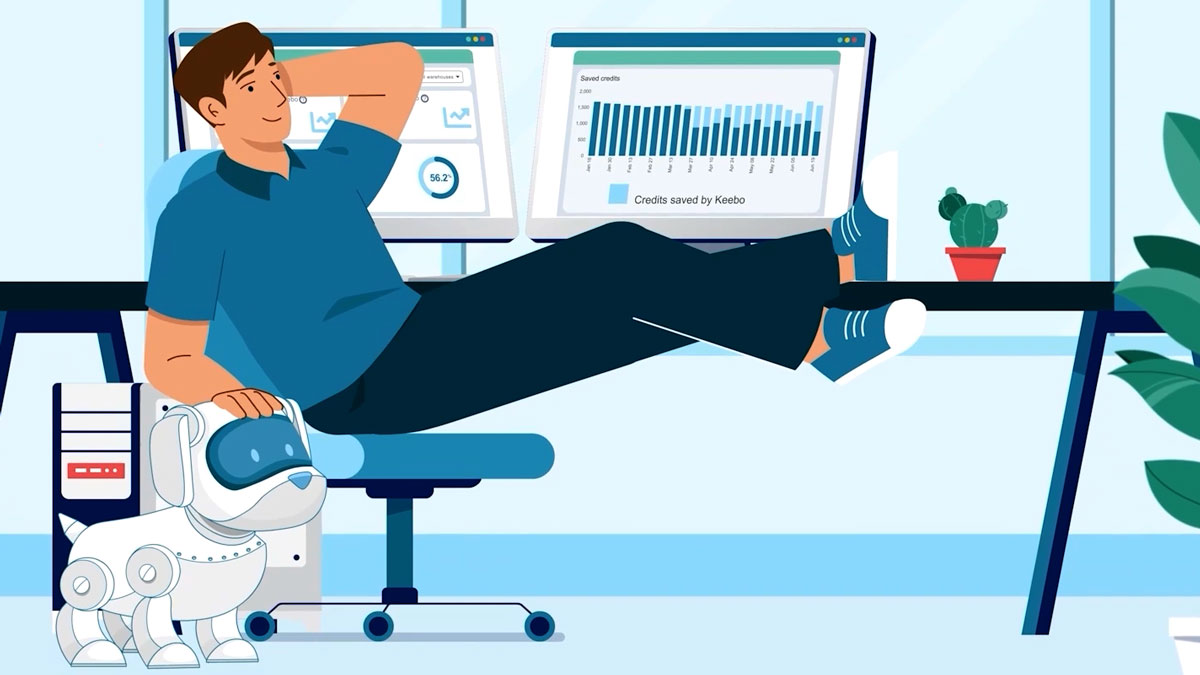
Table of Contents

Every example here is our own production work

That means we can show the real brief behind each one: the product, the audience, and the choice that made the video work. A competitor roundup cannot do that, because it is showing other studios work.

2. Ubuntu by Canonical

Canonical is the company behind Ubuntu, the open source operating system that runs across servers, cloud, and connected devices. Category: dev tools and infrastructure. Length: 1:41. Style: animated explainer. A longer runtime suits an enterprise audience that needs the breadth of the platform, not just a single feature.

3. Keebo

Keebo automatically optimizes data warehouse performance and spend. Category: data and analytics. Length: 0:30. Style: animated explainer. At 30 seconds it is the shortest example here, built to work as a paid social ad or a looping homepage hero.

4. AlphaMap

AlphaMap brings location and market data into one view for teams making site and expansion decisions. Category: data and analytics. Length: 1:05. Style: animated explainer. It turns an abstract data product into something you can picture, which is exactly what a good explainer should do.

5. ChartLamp

ChartLamp turns dense records into clear, visual summaries. Category: data and analytics. Length: 1:05. Style: animated explainer. The video leans on motion to make a data heavy product feel simple, a common challenge for analytics tools.

6. Augmentt

Augmentt helps IT teams and managed service providers discover and secure the SaaS apps their organizations actually use. Category: security. Length: 1:34. Style: animated explainer. The story frames a real problem, shadow SaaS, before the product appears, which keeps a technical pitch grounded.

7. EdgeAlert

EdgeAlert is a monitoring and alerting tool that surfaces issues before they become incidents. Category: security. Length: 1:10. Style: animated explainer. Just over a minute is enough to set up the stakes and the fix without overstaying.

8. CryptoSea

CryptoSea builds trading indicators and tools for crypto investors. Category: fintech. Length: 0:45. Style: animated explainer. A tight 45 seconds fits a fast moving audience and a product that lives or dies on clarity.

9. CoPilot AI

CoPilot AI runs AI assisted social selling and outreach for B2B sales teams. Category: sales and GTM software. Length: 1:06. Style: animated explainer. It sells an outcome, more pipeline, rather than a feature list, which is the right instinct for a sales tool.

10. Assist IQ

Assist IQ applies AI in the operating room to capture surgical supply use and cut waste. Category: healthcare software. Length: 1:50. Style: animated explainer. A more complex, regulated setting justifies the longer runtime, and the video uses it to build trust rather than rush.

What makes a software explainer video work

1. Lead with the problem, not the product

Open with the pain the buyer already feels, then reveal the product as the answer. A feature first script asks the viewer to care before they understand why they should.

2. Commit to one core message

A software explainer that tries to cover every feature explains none of them. Pick the single idea the video must land and cut everything that does not serve it.

3. Check how they handle strategy and scripting

The examples here run from 30 seconds to nearly two minutes. Match the length to the job: a paid social ad wants 30 to 45 seconds, a homepage wants 60 to 90, a detailed enterprise story can justify more.

3. Respect the runtime

Most viewers decide whether to keep watching in the first few seconds. Lead with the problem or a striking visual, not a logo and a slow build.

4. Make the first ten seconds earn attention

Sound, pacing, and a clear voiceover carry a software explainer as much as the animation. If the audio is flat, the video feels flat, however polished the visuals.

Explainer Video Companies in USA

Frequently asked questions

How long should a software explainer video be?

Most land between 60 and 90 seconds. The examples here range from 30 seconds, tight enough for a paid social ad, to nearly two minutes for a detailed enterprise story. The rule is simple: long enough to land one message, and no longer.

What is the difference between a software explainer and a product demo?

An explainer sells the idea of the product to someone who does not know it yet, usually with animation and a problem first story. A demo shows the actual interface to someone already interested. Explainers live at the top of the funnel, demos live further down.

How much does a software explainer video cost?

It depends on length, animation style, and complexity. For current ranges by style and length, see our explainer video cost guide.

Software vs SaaS vs B2B explainer: what is the difference?

Software explainer is the broad term for any software product. SaaS explainer is specifically subscription or cloud software. B2B explainer is any video aimed at business buyers. Most examples here are all three. For SaaS specific picks, see our best SaaS explainer videos guide.

Which software categories benefit most from explainer videos?

Any product that is hard to understand from a screenshot: developer tools, data and analytics, security, fintech, and healthcare software all appear above. The more abstract or technical the product, the more a short animated explainer earns its place.

Where to use a software explainer video

The same video rarely does every job. A 60 to 90 second explainer works on the homepage and in ads. A shorter cut suits paid social. A longer, more detailed version fits sales decks and onboarding. Plan the edit points up front so one production gives you several placements.

Explainer Video Companies in USA

The takeaway

The best software explainer videos are not the flashiest. They are the ones that make a technical product obvious in under two minutes. Every example above does that for a real product, and every one was produced in house, so if you are weighing a software explainer for your own product, these are a fair sample of what the format can do.

Larry Mutenda

15+ years in video strategy and production — specializing in SaaS, B2B, and nonprofit storytelling.

Larry is the founder and Chief Storyteller at Creamy Animation, founded in 2009. He leads a team that creates story-driven videos for businesses and nonprofits. A marketer, designer, and animator, Larry has overseen the production of more than 1,500 videos for Fujitsu, Logitech, Warner Brothers, NFL, Blockdaemon, Astronomer, Canonical, and 370+ others.

For Larry, God is first, and everything else is a blessing that comes from serving Him. When he’s not working, he’s hanging out with his wife and three kids, playing the piano, or pursuing his filmmaking side hustle.Â