
Get an estimate in 60 seconds. No email required.
Simplify Complex Topics & Boost Retention
Educational video production is the creation of animated learning videos for schools, universities, and training programs that make complex topics easier to understand and remember.
We build short animated modules around a stated learning objective, script them so a subject expert can check the wording, and deliver them captioned and packaged for your LMS or your website. Most of our education work is a series rather than a single film: a topic broken into parts a learner can finish, revisit and be assessed on.
We work with colleges, universities, K-12 school districts, ministries and departments of education, education saass, and training centres. Some clients bring a finished curriculum and need it turned into video. Others bring a subject lead, a pile of slides and a deadline, and we help decide what actually belongs on screen.
Typical projects: a concept explainer that replaces the part of a lecture students rewatch most, an orientation series for new students or staff, a safety or wellbeing topic for younger learners, or a set of modules that supports a framework the institution already teaches.
Partner with Creamy Animation and let us help you create educational videos that make learning easy and your content memorable.
Here are some of the educational videos we’ve produced for organizations in the education space. We can work in multiple styles such as whiteboard, character animation, and motion graphics.
Here are some of the colleges, universities, K-12 schools, and educational institutions we’ve partnered with. We’ve created video content such as explainer videos, promotional videos, and educational videos.

Every educational video starts with a learning objective, not a creative brief. In the first session we ask what a learner should be able to do after watching, who that learner is, and where the video sits in the course or onboarding path. A video meant to replace a lecture segment is built differently from one that previews a module or reinforces it before an assessment.
We also agree on scope in that session: how many modules, how long each one runs, which concepts belong in video and which are better left to a reading or a worksheet. Deciding this early is what keeps a series from drifting into a single overlong file that nobody finishes.
Scripts for education get reviewed as documents, not as storyboards. We send a plain script with timings so a subject lead, instructor or curriculum coordinator can mark up wording, correct terminology and sign off on accuracy before anything is drawn. Comments in a document are cheap. Comments after animation are not.
Once wording is approved we build a scene-by-scene storyboard so you can see how each idea is shown on screen: what is labelled, what is built up step by step, what stays on screen while the narrator talks. For teaching content the visual is often the explanation, so this is where most of the instructional decisions get made. For ideas, browse our educational video examples.
Animation, voiceover and editing happen in house, which matters on a series because the same illustrator and animator carry the visual system across every module. Later modules move faster than the first: the style frames, character set, icon library and lower thirds are already built and reused.
Before we call anything final we agree the delivery package. That usually means an MP4 master, a caption file you can edit, a written transcript, and where relevant a SCORM or xAPI package for your LMS. We confirm resolution, frame rate, audio loudness and file naming up front so nothing gets rebuilt because a platform rejected it.

Most educational video briefs arrive as a topic. Topics are not objectives. Before we write anything we turn the topic into a sentence that starts with the learner: after this module, a first-year student can explain the difference between the two processes and pick the right one for a given case. That sentence decides the length, the structure, the examples and how we close the video.
It also decides what to leave out. A topic invites you to cover everything you know. An objective tells you which ninety seconds actually matter.
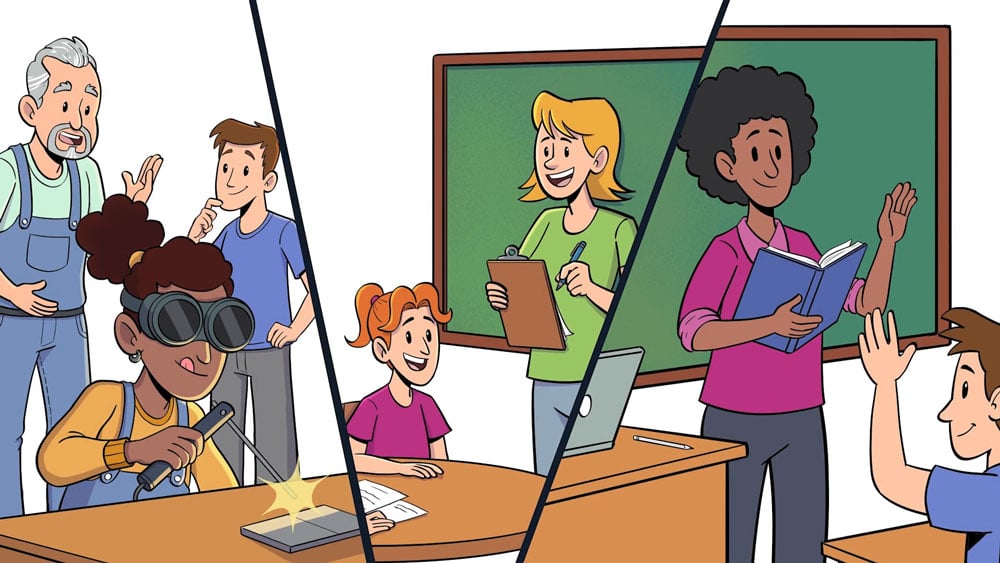
We chunk. A single video that carries five ideas asks a learner to hold all five at once, and the ones in the middle get lost. Five short modules, each with its own objective, let a learner stop, come back, and rewatch the one part they did not follow. Chunking also helps you maintain the material.
Watching is passive. We design small moments that make the learner do something: a question posed on screen with a pause before the answer, a worked example the narrator walks through, a two-line recap that restates the objective in the learner’s words. We flag these beats in the script so a quiz or knowledge check can attach to them.

Recording an existing lecture is the cheapest option and the most common disappointment. A lecture is written for a room, where nobody can leave. Online, the learner can leave, and the analytics usually show they do. The same content rebuilt as six short modules gives you titles a learner can scan and per-module completion data.
Education projects have more reviewers than commercial ones, and the reviewers are not marketers. A typical approval chain runs through a subject expert who owns the accuracy, a curriculum or instructional design lead who owns the structure, a communications or marketing team who owns the brand, and sometimes a department head who signs the invoice. Each of them is looking at a different thing, and if they all see the work for the first time at the animation stage the project stalls.
We send the script as a two-column document with narration on one side and a plain description of what appears on screen on the other. Faculty are used to marking up documents. They are not used to leaving timecoded comments on a video, and the feedback you get from a review tool is usually vaguer as a result.
A document review also separates two questions that get tangled otherwise: is this correct, and is this clear. Subject experts answer the first well. They tend to answer the second by adding detail, which is the single most common reason an educational video runs long. We push back on that in the script stage, where changing it costs an afternoon.
Before animation starts we ask for a named person to sign off on accuracy in writing. Not an approval of the video, an approval of the facts, the terminology and any figures, diagrams or formulas shown on screen. Once that is signed we treat the content as locked and any later change is a change request rather than a revision.
This is not bureaucracy for its own sake. Reanimating a labelled diagram because a term was wrong is the most expensive kind of rework in this vertical, and it is almost always avoidable.
Most institutions already have the structure: a syllabus, a competency framework, a set of course outcomes, a provincial or state curriculum document. We map modules to that structure rather than inventing our own, so the video library lines up with what the course already promises and the naming matches what staff and students already use.
To be clear about what that means: we align content to a curriculum or a framework you provide. We do not accredit anything, and we do not claim compliance with a standard on your behalf. Accreditation and curriculum approval stay with your institution and the relevant body. Our job is to make sure the video does not contradict the document you are measured against.
Western University, for example, commissioned a set of motion graphics videos built around concepts and tools from their own Life Design framework rather than around a structure we brought to the project.
Accessibility is a harder requirement in education than in most sectors, because education bodies are usually held to a published standard. Public institutions in the United States work to Section 508, which points at the WCAG success criteria. Universities, school districts and government education departments in Canada and elsewhere are commonly held to WCAG as well, through their own accessibility policy or provincial legislation. The specific obligation depends on your institution, so confirm it with your accessibility office, but the practical implication is the same: captions and transcripts are part of the deliverable, not an extra.
We deliver an editable caption file, normally SRT or VTT, produced from the approved script rather than auto-generated. Auto captions get subject-specific terminology wrong, and in education the terminology is exactly what the learner needs spelled correctly. We also deliver a written transcript, and reading level is set in the script brief.
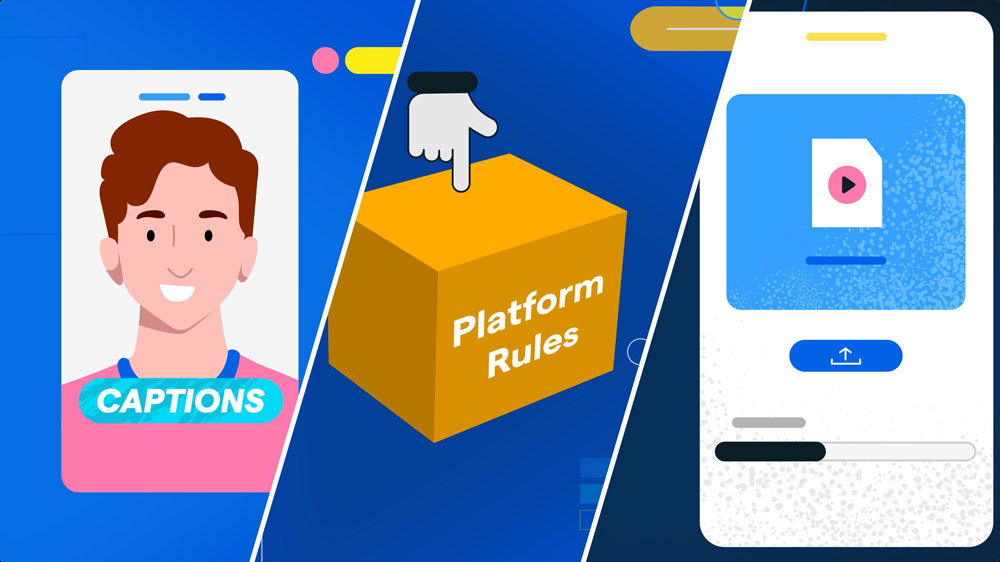
Two things break accessibility in animated learning content. The first is low contrast between text and background, which we check against the WCAG thresholds while style frames are being designed, not after the animation is rendered. The second is using colour alone to carry meaning, so we add a label, a pattern or a shape difference alongside the colour.
Agree the delivery format before production. The usual options are an MP4 master for a video host or a website, and a packaged module for your LMS, normally SCORM or xAPI. Confirm which your LMS accepts and which version, because a package your platform will not ingest is a rebuild. Settle resolution, audio loudness and file naming at kickoff.
Plenty of studios can animate. Fewer are set up for the way education projects actually run. These are the questions worth asking on a first call, and what a useful answer sounds like.
If the first thirty minutes are about visual style, character design and references, you are buying animation. If the questions are about who the learner is, what they should be able to do afterwards and how the video is used in the course, you are buying an educational video. Style matters, but it is a consequence of the objective, not a starting point.
Education work is rarely one video. Ask how they price module two through module eight, whether the style system is reusable, and what happens when you need to update one module in two years. A studio built around one-off brand films will quote each module as if it were the first.
Ask to see the review workflow. You want a document-based script review, a named accuracy sign-off, and a clear line between revisions and change requests. If the answer is that you will review the first animation, expect rework.
Ask whether captions are written from the script or auto-generated, whether you get the editable file, and whether contrast is checked during design. If accessibility appears as a line item you can decline, it was not designed in.
Get the deliverable list in writing: master file and format, caption file, transcript, LMS package and version, project files or not, and what usage rights you hold. Institutions often need to reuse footage across departments later, so settle that at contract stage.
Our standard animated explainer work runs $5,000 to $10,000 per video, which covers most single educational modules. More involved work with custom character animation, detailed technical illustration or a heavier design system runs $10,000 to $25,000, and larger enterprise or multi-department programmes run $25,000 to $50,000. AI-assisted production in the $2,500 to $4,000 range exists for simpler pieces where a lighter visual treatment is acceptable.
Roughly how a budget divides: script 10 percent, concept and storyboard 25 percent, design and illustration 15 percent, animation and editing 45 percent, voiceover and music 5 percent. The things that move the number are length, how much bespoke illustration a subject needs, how many characters are on screen, and how many rounds of review the institution requires. Volume works in your favour on a series, because the style system is built once. Our explainer video cost breakdown goes into the same figures in more detail.
On timing: a 30 to 60 second module is typically 2 to 3 weeks, and a 1 to 2 minute module is typically 4 to 6 weeks. On a series, module one takes the longest because that is where style, characters and assets are decided. Later modules move faster once those are set. The realistic risk to any schedule in education is not animation time, it is how long a script sits waiting for a subject expert during term. If your video is for staff rather than students, our training video production page covers that side.
Common questions from schools, universities and education teams planning a video project.
Concept explainers that unpack a single idea from a course, module series that follow a syllabus or framework, orientation and onboarding videos for new students or staff, career guidance content, and topics for younger learners such as online safety, wellbeing and health. We work in motion graphics, whiteboard and character animation, and we pick the style to suit the subject rather than the other way around.
Standard animated educational modules run $5,000 to $10,000 per video. More involved work with custom characters or detailed technical illustration runs $10,000 to $25,000, and larger multi-department programmes run $25,000 to $50,000. Simpler AI-assisted pieces start around $2,500 to $4,000. Length, illustration complexity, character count and the number of review rounds are what move the figure. A series brings the per-module cost down because the style system is built once.
A 30 to 60 second module is typically 2 to 3 weeks. A 1 to 2 minute module is typically 4 to 6 weeks. On a series, the first module takes the longest because style, characters and assets are decided there, and later modules go faster once those are set. The most common delay in education is a script waiting on a subject expert during term, so build that into your timeline.
Recording a lecture is cheaper and sometimes the right call, but it usually underperforms as a learning asset. A lecture is written for a room and depends on pacing and a live audience. Online it is long, unstructured for review, and hard to update. The same content rebuilt as several short modules gives learners titles they can scan, a place to return to, and per-module completion data. Animation earns its cost where the explanation is visual: a process over time, an invisible mechanism, a comparison, or a labelled system.
One concept per module, and let the objective set the length. In practice most of our education modules land between 60 seconds and 3 minutes. If a script runs past that, it usually means two objectives got merged and it should be split.
Yes. Every module ships with an editable caption file, normally SRT or VTT, written from the approved script rather than auto-generated, plus a written transcript. We also check colour contrast against the WCAG thresholds during design and avoid using colour alone to carry meaning on diagrams.
Yes. We deliver MP4 masters as standard and can package modules as SCORM or xAPI for your LMS. Confirm which format and version your platform accepts at kickoff, along with resolution, frame rate, audio loudness and file naming, so nothing has to be rebuilt after delivery.
Scripts go out as a two-column document with narration and on-screen description, so subject leads can mark up wording and terminology the way they would any other document. We ask for a named accuracy sign-off in writing before animation starts. After that, content changes are handled as change requests rather than revisions, because reanimating a labelled diagram is the most expensive rework in this field.
We map modules to a syllabus, competency framework or curriculum document that you provide, and we match your naming so the library lines up with the course. We do not accredit content or certify compliance with a standard on your behalf. Accreditation stays with your institution and the relevant body.
Colleges and universities, K-12 school districts, government education departments, education saass and platforms, and training centres. Past education clients include Clips University, the Oregon Department of Education, the University of Cincinnati, AMSSA, Western University and the Vancouver School Board.
We work remotely with institutions across Canada and the United States, from our studios in Vancouver, British Columbia and Vancouver, Washington. Reviews run over shared documents and video calls, so location is not a constraint on the process.
Request a free quote to get started
See how we’ve helped other regulated and mission-driven organizations.
Explain regulated financial products and build trust.
Simplify medical information for patients and staff.
Raise awareness and inspire donors to take action.